Overcoming Model Railway Derailments

Derailments are sent to try us and boy oh boy, do they put your brain into a spin, trying to work out exactly what is causing the derailment. You can have 3 locos with 2 of them going over the track easily but the third loco derails. Go figure!

This derailment is on a new section of track that has been inserted with a new turnout . This new turnout is also in an awkward location which makes it hard to visualize the problem. The front section goes over the track but carriage derails.

I have been struggling to work out why the train derails, so I made these tools to assist me to narrow down what the trouble is. Turns out, there are a few different issues that need to be fixed.

Derailment tools I have found handy.

I have found these self made tools very helpful at checking the rail gaps. These are easily

made and assist you to check the track in a number of different way.

These tools are really home made gauges from styrene sheet. Inside,outside and rail gauges

Operation of locos both Manual and Automatic

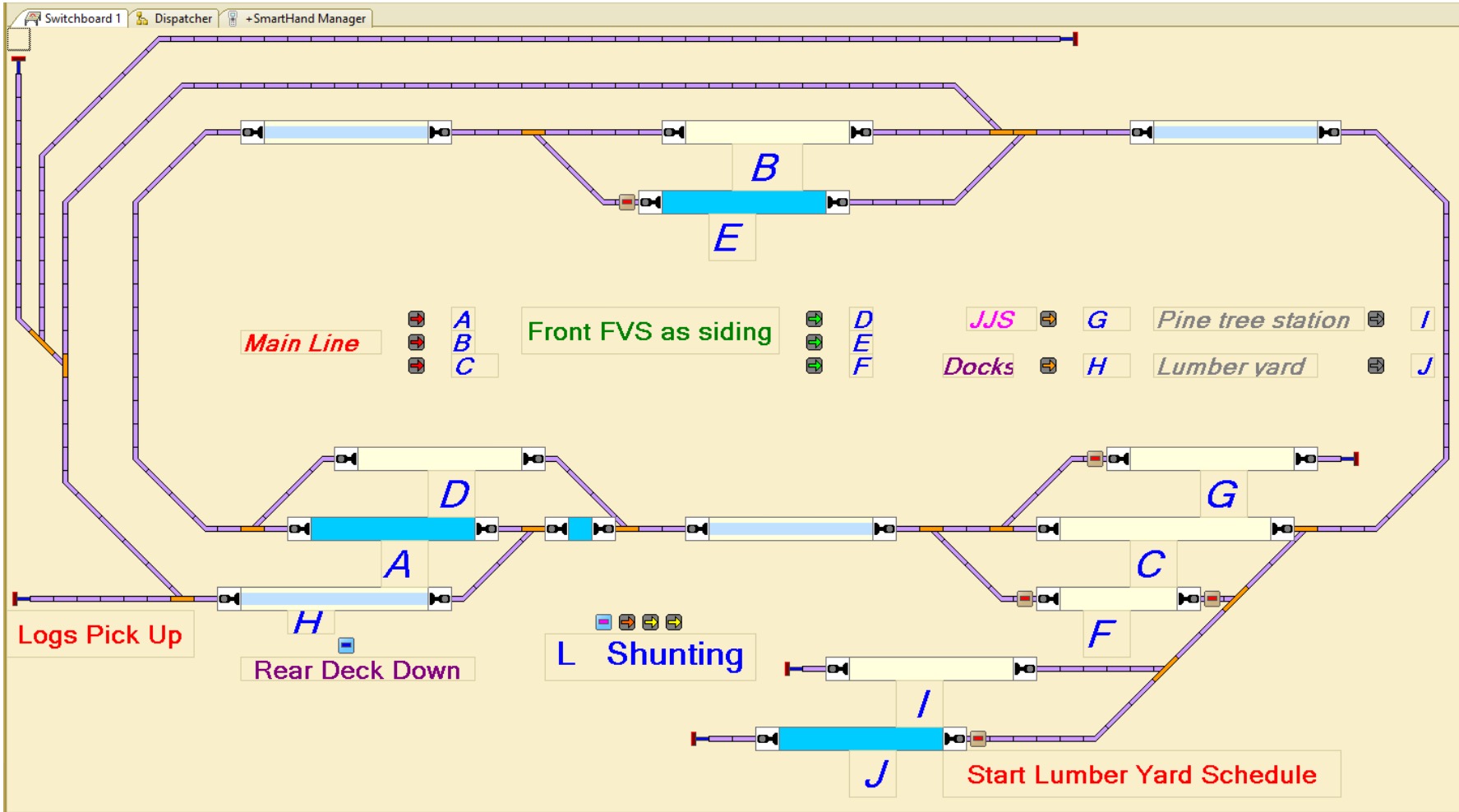
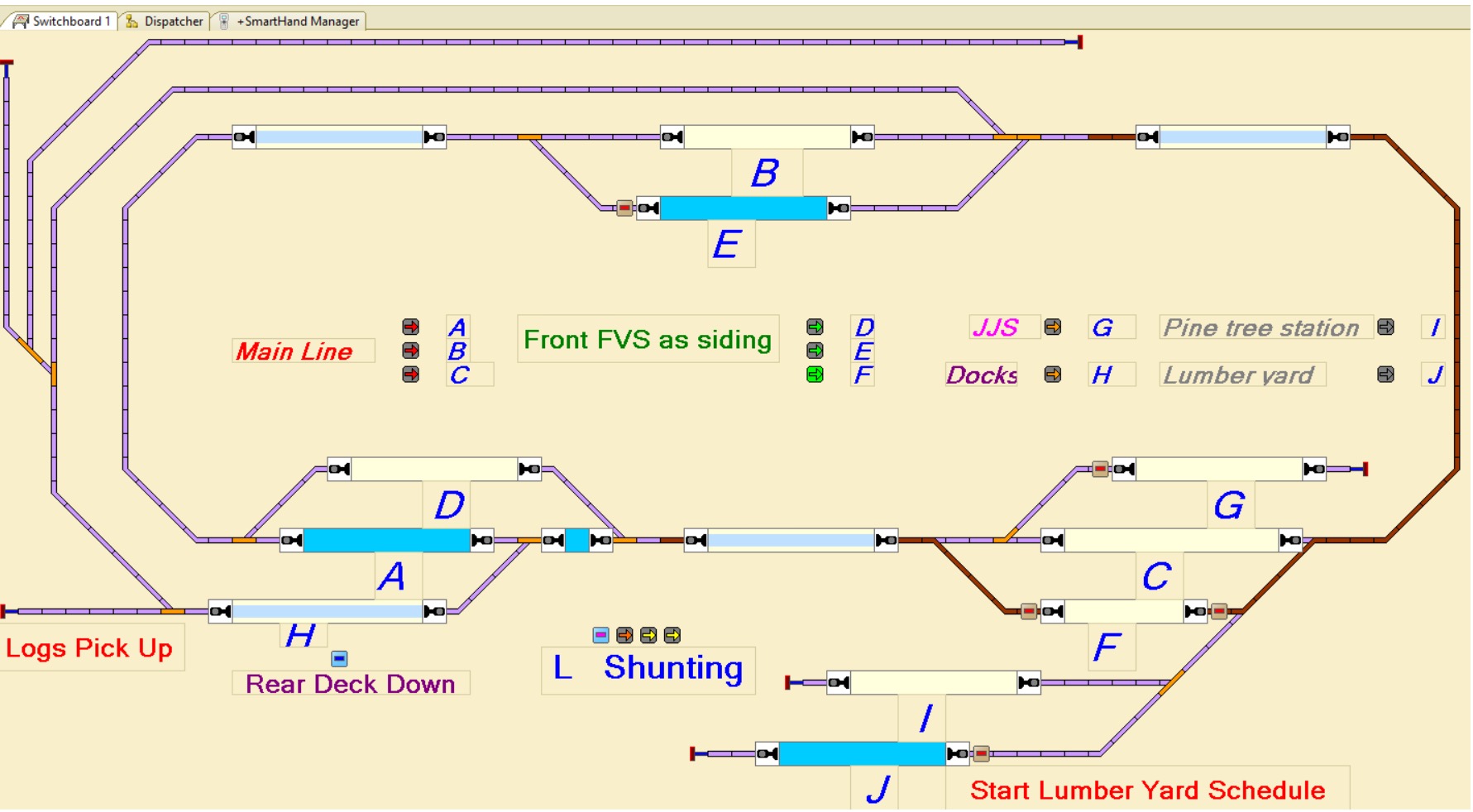
Setting up an effective manual control system so I can easily run 2 Locos automatically while driving one manually

Well this has taken a long time – to work out a system to have 2 Locos driven automatically by train controller while I drive one Loco manually. I have tried all sorts of systems with all sorts of control buttons everywhere. But I found all these forms to hard to undertake and easily use. So I have come to my current system which is proving far supieror to the other things I have tried. I have created a route which I can switch with a keyboard shortcut. The route has 3 sections, each has a current sensor, with the middle of the 3 sections being either the siding or main track where a train can pass. This means when a train enters section 3 after having gone through section 1 & 2. I can decide the path through the next passing area (luckily this worked out for me with how passing sidings were located) Generally as I have learned to operate with this method I have found it very successful and easy to use.

Here is an example- I typed keyboard F as the centre section of the route.

When shunting, I have a number of single routes that are enabled with just keystroke

Swing up bench

Extending a model railway especially when you are trying to keep the overall footprint to a mimium requires careful planning and thought. This swing up flap enables me to roll out the model railway, swing up the flap and enjoy extra functionality in the operation of the railway. The closed down flap footprint only adds approximately 12mm to the width of the layout.

Swing up flap in the closed position. The blue foam is to protect the wall from becoming marked and to provide a safety barrier for the locos and trains.
Swing up flap in up position
Swing up flap under frame – aluminum hollow tube.

Creating a small lake

Using a piece of clear acrylic sheet to create a nice looking small lake. Firstly I scribed and shaped a piece of thin cardboard to fit the area of the lake. Which I used to glue to the acrylic sheet and cut out on my band saw. With a bit of careful sanding and filing I achieved a very good fit and result. All that was required was to paint the underside of the acrylic sheet. I used 3 different colours, one black one tan and the other light blue. These were sprayed in different spaces on the clear areas of the acrylic. After drying the protective layer was removed to show the result. Now all that is needed is to glue down and fill in to the level of the water. I do intend to have some water trickling down into the lake from out to the right once I work out he best way to achieve this.